phpBB SEO Pro
PRO SUITE
1 / 9

Extension
phpBB Post Comments
Modern nested AJAX comments on posts for phpBB 3.3.x , instant submit, and full RTL & Mobile support.
v1.0.1
phpBB SEO
1 / 3
phpBB Post Comments
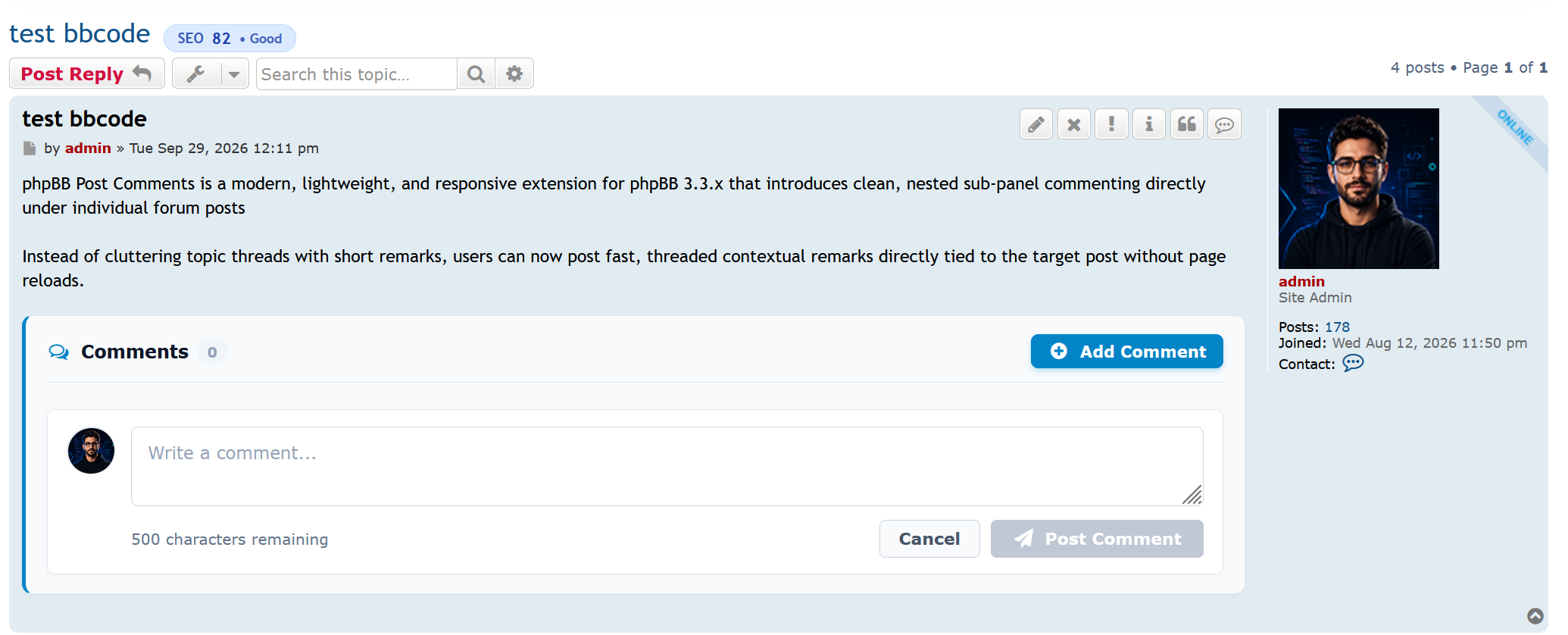
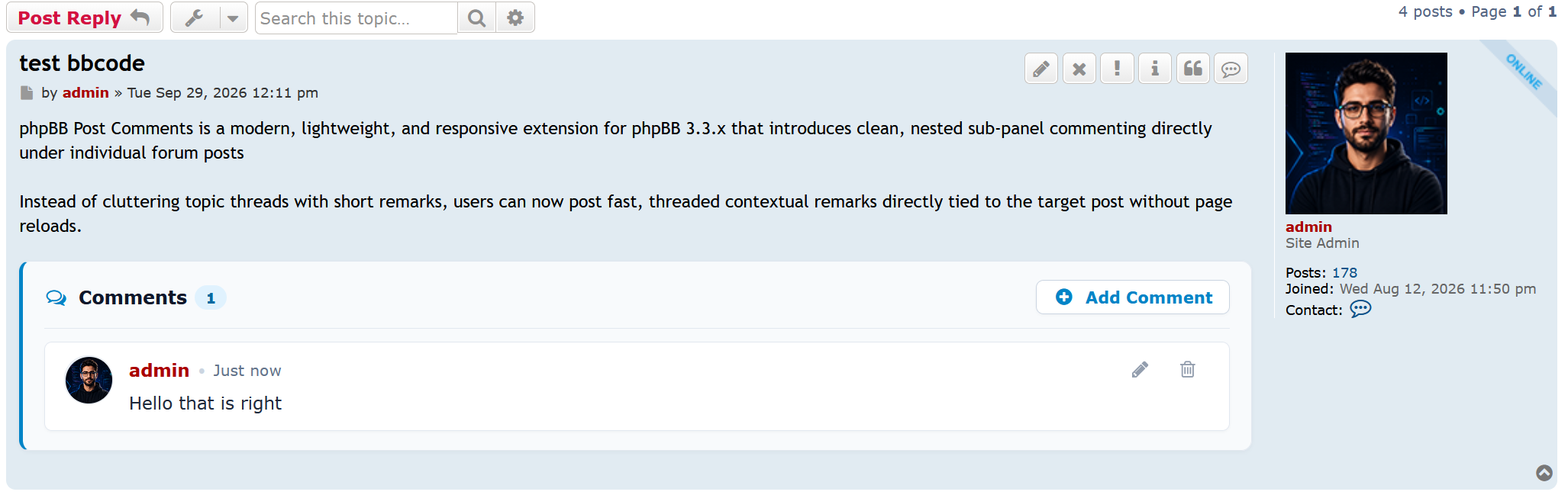
phpBB Post Comments is a modern, lightweight, and responsive extension for phpBB 3.3.x that introduces clean, nested sub-panel commenting directly under individual forum posts
Instead of cluttering topic threads with short remarks, users can now post fast, threaded contextual remarks directly tied to the target post without page reloads.
Key Features
Requirements
Installation
License: GNU General Public License v2 (GPL-2.0)
Repository & Issues: https://github.com/phpbb-seo/phpbb-post-comments
phpBB Post Comments is a modern, lightweight, and responsive extension for phpBB 3.3.x that introduces clean, nested sub-panel commenting directly under individual forum posts
Instead of cluttering topic threads with short remarks, users can now post fast, threaded contextual remarks directly tied to the target post without page reloads.
Key Features
- vBulletin 6 Aesthetic Sub-panels: Sleek nested layout with a 3px accent indicator line, round avatars, and collapsible reply toggles.
- Seamless AJAX Interactions: Post, delete, toggle, and count comments instantly without page refreshes.
- Smart Toggle & Cancel Form: "+ Add Comment" opens the compact editor; "Cancel" clears and closes it smoothly. Auto-closes upon successful posting.
- Full RTL (Right-to-Left) Native Support: Custom layout flipping, mirrored indicator lines, and direction-aware icons designed specifically for Persian, Arabic, and Hebrew forums.
- Thumb-Friendly Mobile Ergonomics: Fluid responsive design for smartphones with full-width touch buttons and comfortable tapping targets.
- Keyboard Productivity Shortcuts: Submit comments instantly using Ctrl + Enter (or Cmd + Enter on Mac); cancel with Escape.
- 100% Localized (Zero Hardcoded Text): Every label, alert, and button uses native phpBB language keys for effortless translation.
- Granular ACP Permissions: Comprehensive user group and forum permissions (Can view comments, Can post comments, Can delete own, Can manage/moderate).
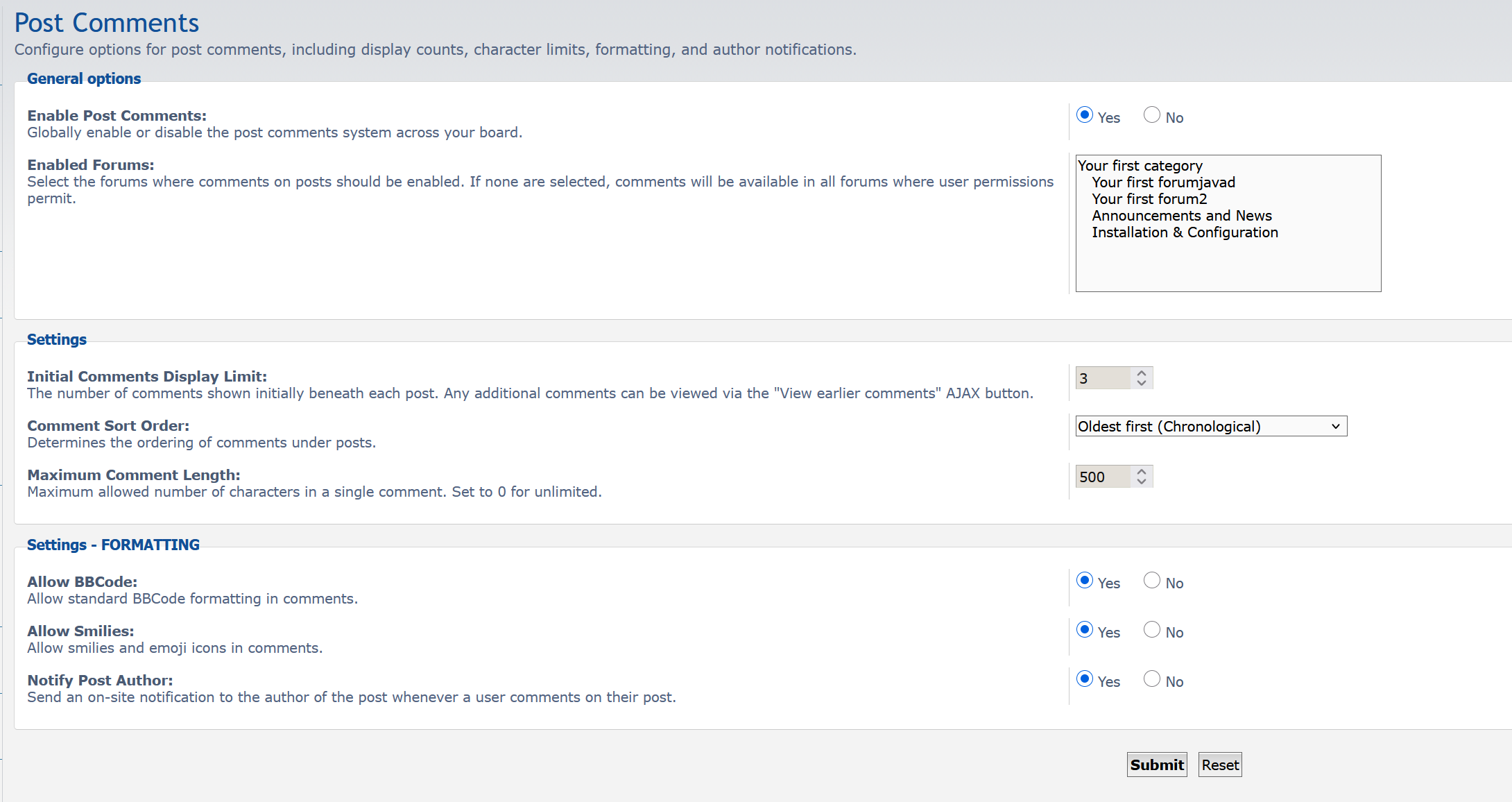
- Full Admin Control Panel: Enable or disable comments globally, configure character limits, and select sorting order (Oldest first or Newest first).
Requirements
- phpBB 3.3.0 or newer (tested up to 3.3.15+)
- PHP 7.4.0 or newer (fully compatible with PHP 8.0, 8.1, 8.2, 8.3 & 8.4)
Installation
- Download the archive [inline]phpbbseo_postcomments_1.0.0.zip[/inline].
- Extract the zip into your forum's [inline]ext/[/inline] folder so the resulting path is:
Code: Select all
ext/phpbbseo/postcomments/ - Navigate to ACP -> Customise -> Manage extensions.
- Under Disabled Extensions, find phpBB SEO Post Comments and click Enable.
- Configure permissions under ACP -> Permissions (Post Comments tab) and manage board settings under ACP -> Extensions -> Post Comments.
License: GNU General Public License v2 (GPL-2.0)
Repository & Issues: https://github.com/phpbb-seo/phpbb-post-comments
phpbbseo_postcomments_1.0.1.zip
971.9 KB • 131 Downloads
Join Forum Discussion
Discuss this resource and share feedback with other members.





1 / 3